Patient Portal
- Home
- Pediatrics Associates of Frisco TX
Patient Portal for Pediatrics Associates of Frisco in Frisco, TX
Access your child’s healthcare information anytime, anywhere with the Pediatric Associates of Frisco Patient Portal. Easily schedule appointments, view medical records, and communicate securely with your child’s healthcare team. Our portal offers convenient features like online bill payment and prescription refill requests to streamline your healthcare experience. Sign up today to manage your child’s health.
For non-urgent matters, please allow up to 24 to 48 hours for a response. For urgent concerns,
please call our office during business hours.
Sign up today and take control of your child’s health care with ease.
Frequently Asked Questions
New Patient? Request an invite to the Patient Portal
Established Patient? Request an invitation to the Patient Portal
If you are already an established patient with your provider, but have not logged into your patient portal for the first time, you will need an invitation. Please call our office at +1 972 324 3360 to request an invite
Need assistance with logging into your patient portal for the first time?
- You must receive an invite to log into the portal for the first time. Verify you received an invitation sent to your email on file with your provider. If you did not receive an invitation to the patient portal, contact your provider to make a request.
- If you received an invite to log into your patient portal, but are seeing the error “That email is associated with multiple records”, then navigate to the login page and log in using your email address and password. Do not create an account.
- If you received an invite to log into your patient portal, but are seeing the error, “No record found. This practice only allows current patients to register online.” Call us to verify your provider has the correct email address on file.
- If you received an invite to log into your patient portal, but are seeing the error, “We’re sorry, you are not configured to use the Patient Portal at this practice. Please contact your practice administrator.” Go back to the previous page and confirm you are selecting the correct state. After you verified you are choosing the correct state, but are still experiencing the issue, call us to verify your provider has the correct email address on file.
Prescription requests
Trouble signing in?
- If you are seeing the following error: “Login information is incorrect” confirm you are entering the email address that your provider has on file and your correct password.
- Try resetting your password using the Forgot Password link found on the login page.
Having trouble creating your account?
- If you are seeing the following error: “You already have an account using this email address. Please log in to continue.” You will need to navigate to the login page. Use your email address that your provider has on file and your current password.
- Try resetting your password using the Forgot Password link found on the login page.
Are you requesting a shared email for portal access or for yourself or a family member?
Please contact us or call us at +1 972 324 3366
Do you need access to a minor child's account or need to make changes to a minor child’s account?
Please contact us or call us at +1 972 324 3366
Do you need to schedule, cancel or reschedule an appointment?
Please contact us or call us at +1 972 324 3366
Do you need to update your family access from billing to full access?
Please contact us or call us at +1 972 324 3366

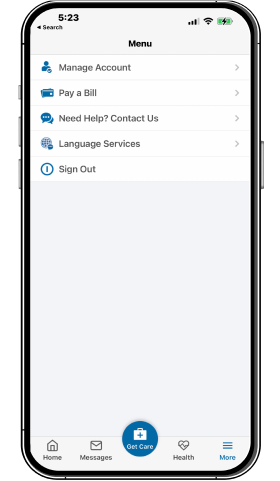
Download the myPrivia App
Patient Technology Designed Just for You